Verify student thinking
in the AI era
Do your students understand the work they submit, or is AI doing most of the thinking?
Verify real understanding with secure, AI-powered conversational assessment.
Schools switching on Thinking Mode across Australia:







How it works
Three modes, one secure platform — start with our flagship
Our flagship — students defend the ideas in their own submitted work.
Students upload
Each student uploads their finished assignment to Thinking Mode.
Secure environment
They move into a full-screen, locked-down assessment session.
Conversational assessment
Our AI asks specific, adaptive questions about the ideas in their submission.
Get evidence
Instant transcript evidence of what each student genuinely understands.

Now integrating with

Thinking Mode connects to Canvas through LTI 1.3, letting educators embed AI-powered learning tasks directly into their Canvas assignments. Students launch straight from Canvas with a single click – no separate login required. Scores can be published back to Canvas, keeping everything in one gradebook.
More LMS integrations coming soon
Why educators choose Thinking Mode
Assessment designed to keep students thinking in the AI era

Hear the real voice of your students
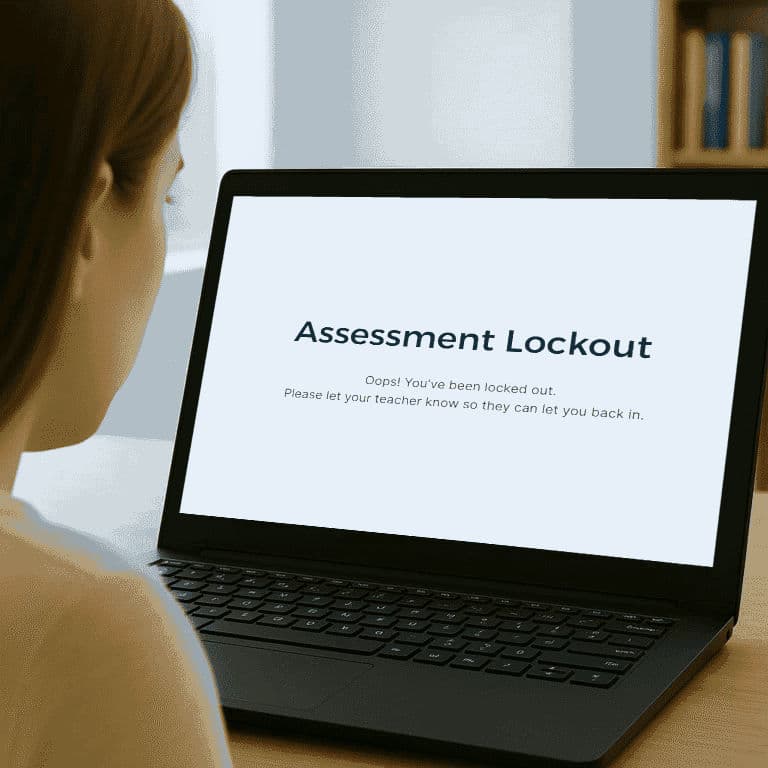
Full-screen lockdown mode ensures students demonstrate their own thinking, not AI’s. Secure assessment built for the reality of the AI era.

Adaptive questioning that meets every student where they are
Guided by established cognitive taxonomies, our AI tutor adapts in real-time: asking the right question, for the right student, at the right time.
Safe, private, simple to use
Privacy-by-design practices aligned to key Australian, European (GDPR), and U.S. student privacy requirements. Reinforced with child-safe guardrails that stubbornly stick to the assessment topic. Works on most browsers, no installs required.
Frequently asked questions
Everything you need to know about Thinking Mode
No. Thinking Mode helps you verify student understanding through conversational assessment guided by our AI tutor. The conversation is focused on the ideas, concepts and vocabulary included in the student’s work.
It’s designed to generate evidence of understanding, not to “catch” AI use.
Conversational assessment is an approach where students demonstrate their understanding through guided dialogue with an AI, rather than through traditional written tests. It allows for adaptive, personalised questioning that meets each student where they are.
No. Thinking Mode is not an at-home proctoring tool.
Students can continue to complete their take-home assignment in unsupervised conditions, but Thinking Mode is completed in class under educator supervision.
Ideally, students complete the assessment defence (we call it ‘Defence Mode’) in class, on the day the task is due.
We have many types of assessment. But our flagship feature, ‘Defence Mode’ is what we think every educator needs to know about:
- Students upload their assignment to Thinking Mode.
- They enter a full-screen, secure assessment environment
- Thinking Mode asks adaptive questions based on what each student has submitted
- Educators get clear transcript evidence of the summary of understanding for each student
No. Student accounts are not required, and there’s nothing to install. Educators simply give their students a class code and students complete the assessment session using most common internet browsers.
No — not at all. Whilst ‘Defence Mode’ is our flagship feature, Thinking Mode is a conversational assessment platform built around three ‘modes’ that support educators across the whole assessment cycle:
- Defence Mode — Students upload an assignment and our AI tutor asks specific questions about the ideas and vocabulary included in their final submission.
- Draft Mode — Students write under supervision, capturing a snapshot of their genuine, in-class work as they draft it.
- Discussion Mode — AI asks adaptive, increasingly complex questions to help students retrieve knowledge, connect their understanding, and reveal the depth of what they know about a topic.
Thinking Mode follows a privacy-by-design approach aligned to key Australian, European (including GDPR), and U.S. student privacy requirements. We collect only what is needed to run the session, do not sell personal data, and do not use student data to train AI models. Data is stored in Australia, and schools can request access, correction, or deletion in line with their obligations.
Read our Privacy Policy: thinkingmode.com/privacy
We use models from OpenAI (GPT) and Anthropic (Claude), and we update them as better ones become available.

Ready to verify real understanding?
Join schools across Australia turning on Thinking Mode to keep students thinking in the AI era.
No student accounts required
Real-time insights
No apps or installs
Built for classrooms